Explain This: Incident Response Automation (And Why Your Playbooks Still Need Humans)
Automated IR playbooks can block IPs and isolate hosts in seconds. They still can't tell you if the CFO's laptop lockout is malware or Monday morning.
Explain This: Incident Response Automation (And Why Your Playbooks Still Need Humans)
Incident response automation promises to shrink your mean time to respond (MTTR) from hours to seconds. Tools like SOAR platforms (Security Orchestration, Automation, and Response) can execute playbooks that block malicious IPs, isolate compromised hosts, and trigger forensic data collection without human intervention. But here's what the vendor demos won't tell you: automation is only as good as the decision tree you hard-code into it, and cyber incidents rarely follow a script.
What IR Automation Actually Does
At its core, incident response automation executes predefined workflows based on security event triggers. When your SIEM detects a brute-force login attempt, an automated playbook might:
- Block the source IP at the firewall.
- Disable the targeted user account.
- Send an alert to the SOC.
- Create a ticket in your incident management system.
- Run a virus scan on the affected endpoint.
All of this happens in seconds, without waiting for a tier-1 analyst to manually execute each step. For high-volume, low-complexity events (failed logins, known malware signatures, routine vulnerability scans), this is a massive efficiency gain.
The Problem: Context Doesn't Automate
Automation breaks down when context matters. Consider this scenario: your EDR detects PowerShell executing unusual commands on the CFO's laptop at 8:03 AM on a Monday. Your SOAR platform has two options:
Option A: Assume compromise. Immediately isolate the laptop, disable network access, lock the user account, and page the incident response team.
Option B: Assume false positive. Log the event, create a low-priority ticket, and let the user continue working.
Neither choice is obviously correct without knowing:
- Is the CFO running a legitimate macro-enabled financial model?
- Did they just install new software?
- Is this the first suspicious event or the fifth in 24 hours?
- Are other executives seeing similar alerts?
Automation can gather this data, but it can't weigh the trade-offs. If you auto-isolate every ambiguous alert, you create alert fatigue and operational disruption. If you auto-dismiss them, you miss real attacks. Human judgment is still the bottleneck.
Where Automation Works Best
Effective IR automation targets three categories:
1. Known-Bad Actions (High Confidence)
When your threat intel feed identifies a known ransomware C2 server and your firewall logs show outbound traffic to it, there's no ambiguity. Block it immediately. Automate:
- IP/domain blocking at perimeter devices.
- Quarantine of affected endpoints.
- Memory dump collection for forensics.
2. Routine Enrichment Tasks
Before an analyst even looks at an alert, automation can:
- Query VirusTotal for file hashes.
- Pull user login history from Active Directory.
- Check if the source IP appears in threat feeds.
- Retrieve endpoint logs from the last 24 hours.
This cuts investigation time from 20 minutes to 2 minutes.
3. Notification and Escalation Workflows
Automation excels at coordination. When a critical alert fires:
- Page the on-call analyst.
- Notify legal and compliance if data exfiltration is suspected.
- Create a Slack/Teams war room.
- Start a timeline document.
Humans still make decisions, but automation ensures the right people are in the loop immediately.
The Human-in-the-Loop Model
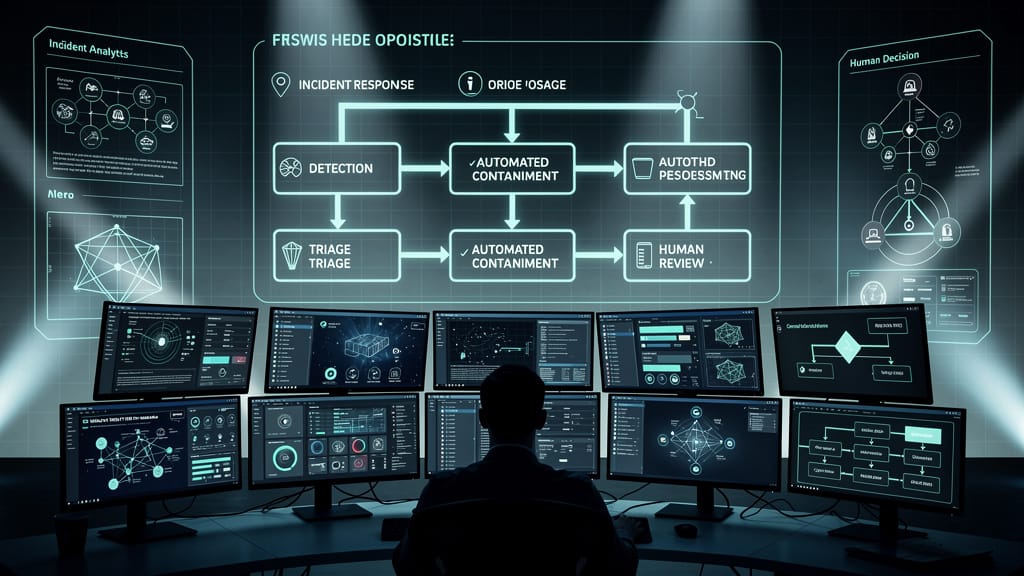
The most effective IR programs use a hybrid approach:
- Automation handles tier-0 response: Block known threats, gather context, escalate ambiguous events.
- Humans handle tier-1+ decisions: Determine if isolation is warranted, assess business impact, adjust playbooks.
- Automation executes approved actions: Once a human approves containment, automation handles the tedious work (isolating 50 endpoints, pulling logs, etc.).
This model reduces MTTR without the collateral damage of fully autonomous response.
The Unspoken Cost: Playbook Maintenance
Here's what nobody mentions in SOAR sales pitches: playbooks require constant tuning. Your environment changes. New applications are deployed. User behavior shifts. An IR playbook that worked perfectly in January might start triggering false positives by March because sales adopted a new CRM that mimics data exfiltration patterns.
Organizations that automate IR without dedicating resources to playbook maintenance end up with one of two outcomes:
- Over-automation: Playbooks fire constantly, users get locked out, IT overrides the system.
- Under-automation: Playbooks are so narrowly scoped they never trigger, defeating the purpose.
Effective automation requires a feedback loop where human analysts refine playbooks based on false positives, missed detections, and evolving threats.
The Bottom Line
Incident response automation is not a replacement for skilled analysts. It's a force multiplier. Use it to eliminate repetitive tasks, accelerate known-good responses, and gather context faster. But keep humans in the decision loop for anything that requires judgment, risk assessment, or understanding of business impact.
If your IR automation strategy assumes you can fire your SOC and let the robots handle it, you're setting yourself up for either a breach or a business disruption. Probably both.
Sources
- NIST SP 800-61r2: Computer Security Incident Handling Guide
- SANS Institute: Incident Response Automation Best Practices
- Gartner SOAR Market Guide 2025
- IBM Security: Mean Time to Respond Benchmarks
- CrowdStrike: Automated vs. Manual Incident Response Trade-offs
- Splunk SOAR Use Cases and Implementation Guide